Open Home → see the next stop
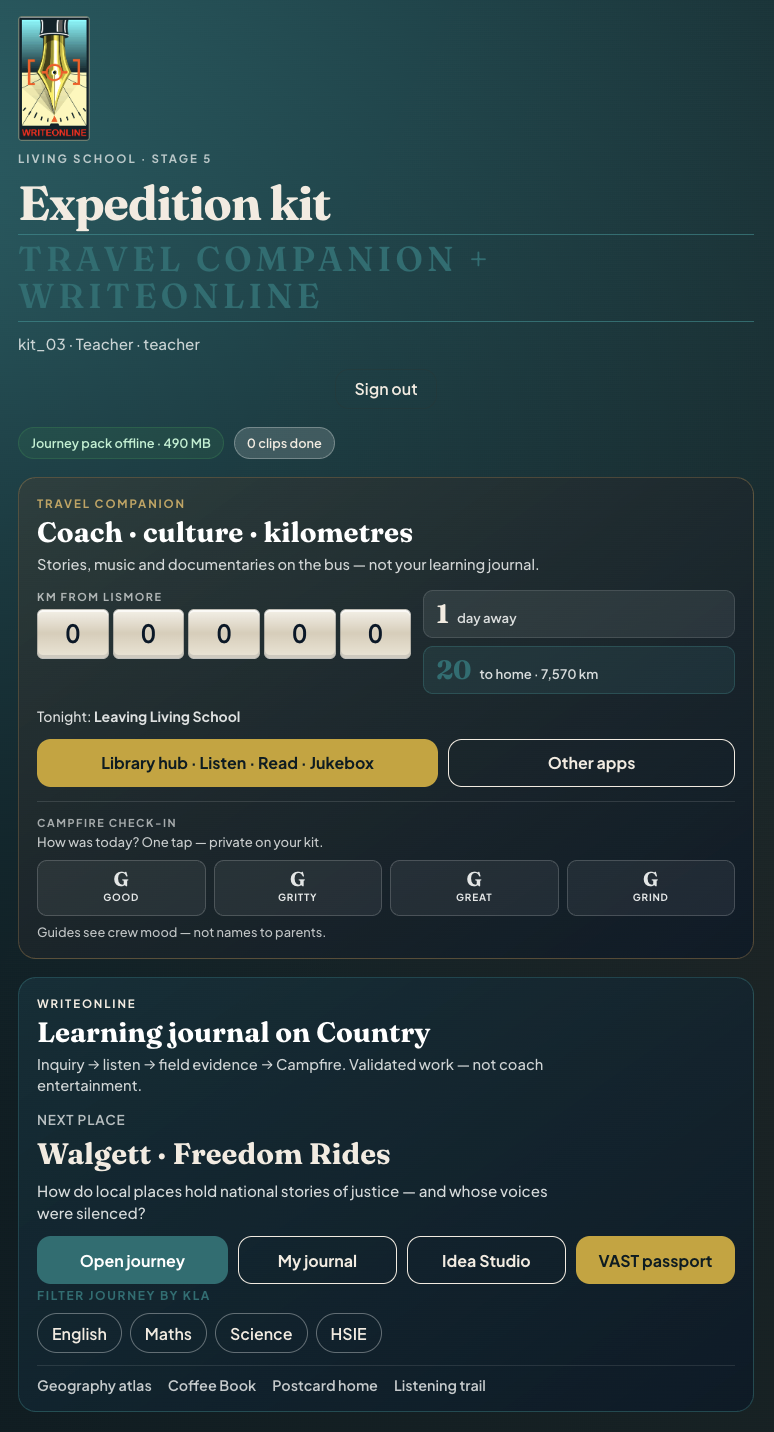
The kit shows where you are in the journey pack, offline size, and the five tools: Journey, My journal, VAST passport, Idea Studio, Library hub.
Home
Living School · Writeonline™
Listen on Country · respond with evidence · send a curated story home.
Writeonline™ is the expedition learning journal on school kit iPads. It is not a tourist diary and not a WordPress media dump. Learners capture place-rich work offline; teachers review and release selected artefacts via Google Drive and the Parents Hub.
Place briefs, teaching listens, field jobs, and journal evidence tagged to NSW NESA Stage 5 History, Geography, Science and English outcomes — not endless scrolling.
VAST passport stamps (Values, Attitudes, Skills, Trust) link moments on Country to Living School capacities.
Teachers curate postcards and full-journal Drive links. Learners never email home from the kit.
Geography & geology · offline atlas
A cartographic plate of the Big Bight corridor — relief basemap underlay, rivers, rock units and the expedition route. Fully offline (no map tiles). Toggle layers, tap a stop, read the Country under each field job.
Stop preview
Click for field notes
Stage 5 orientation atlas on a relief basemap plate, synthesised from Living School place briefs (government / parks / World Heritage public sources). It is an orientation tool — not a cadastral, Traditional Owner, or geological-survey map. Cultural naming still needs local review before treating First Nations terms as final.
How to use it
Same spine on every place. Depth changes with the stop — the habit stays simple so crews can run it on Wi‑Fi or fully offline.
The kit shows where you are in the journey pack, offline size, and the five tools: Journey, My journal, VAST passport, Idea Studio, Library hub.
HomeEach stop carries an inquiry question plus clip and field-job counts (e.g. Walgett · Freedom Rides — 5 clips · 3 field jobs).
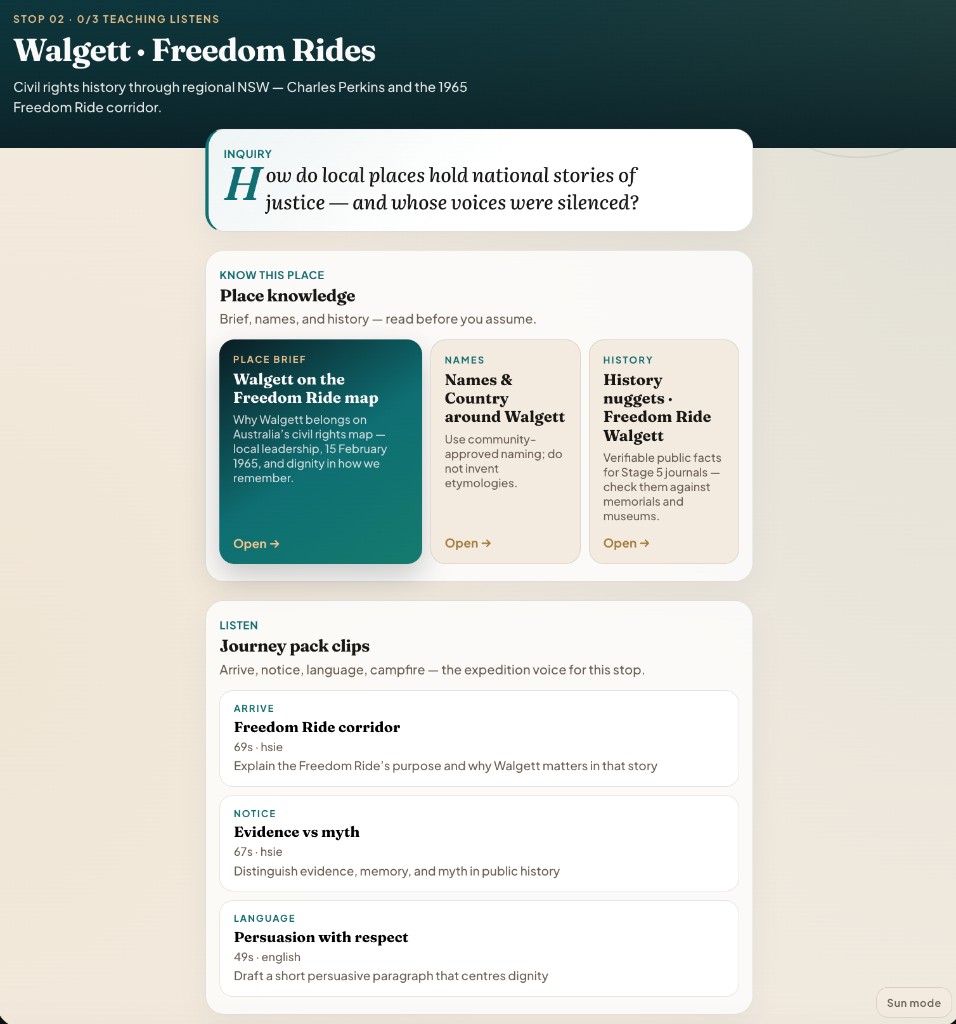
Journey mapRead Place brief · Names · History nuggets. Use community-approved naming; do not invent etymologies. Then play Arrive → Notice → Language (and Campfire where set).
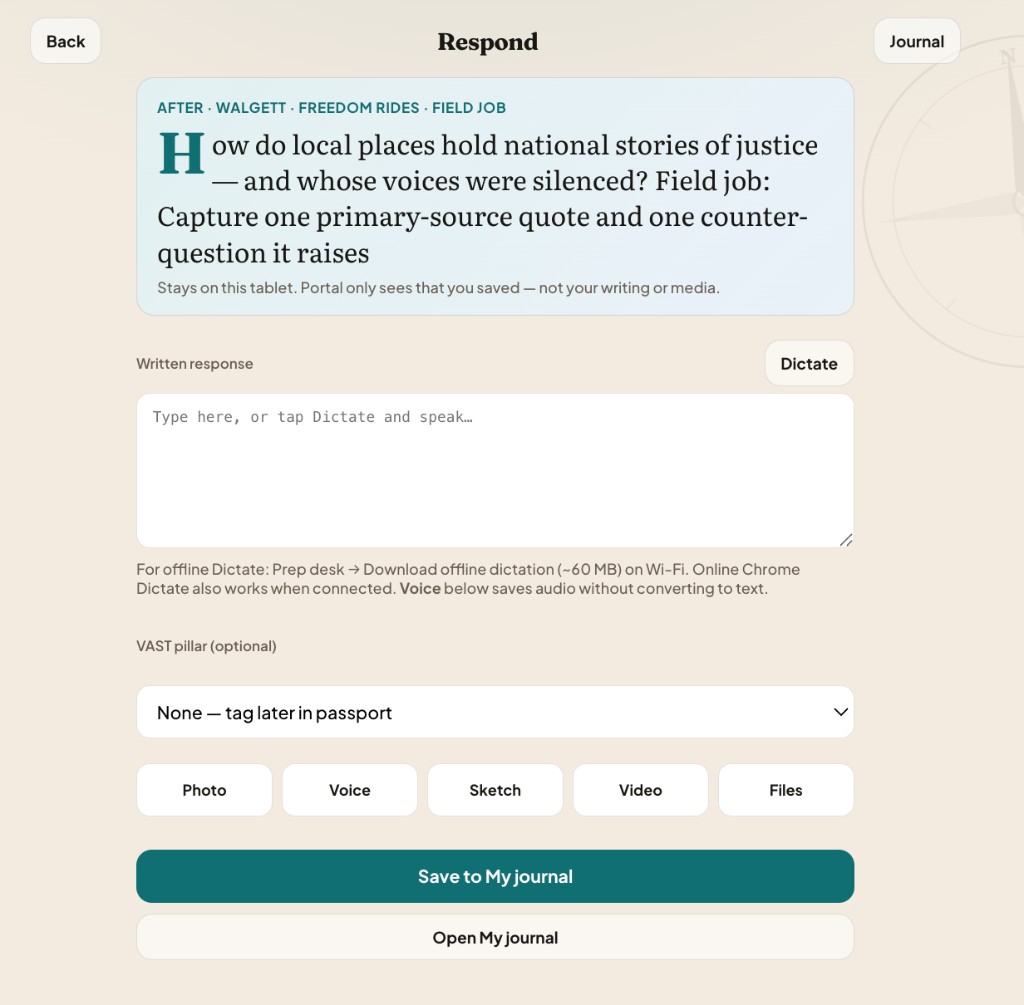
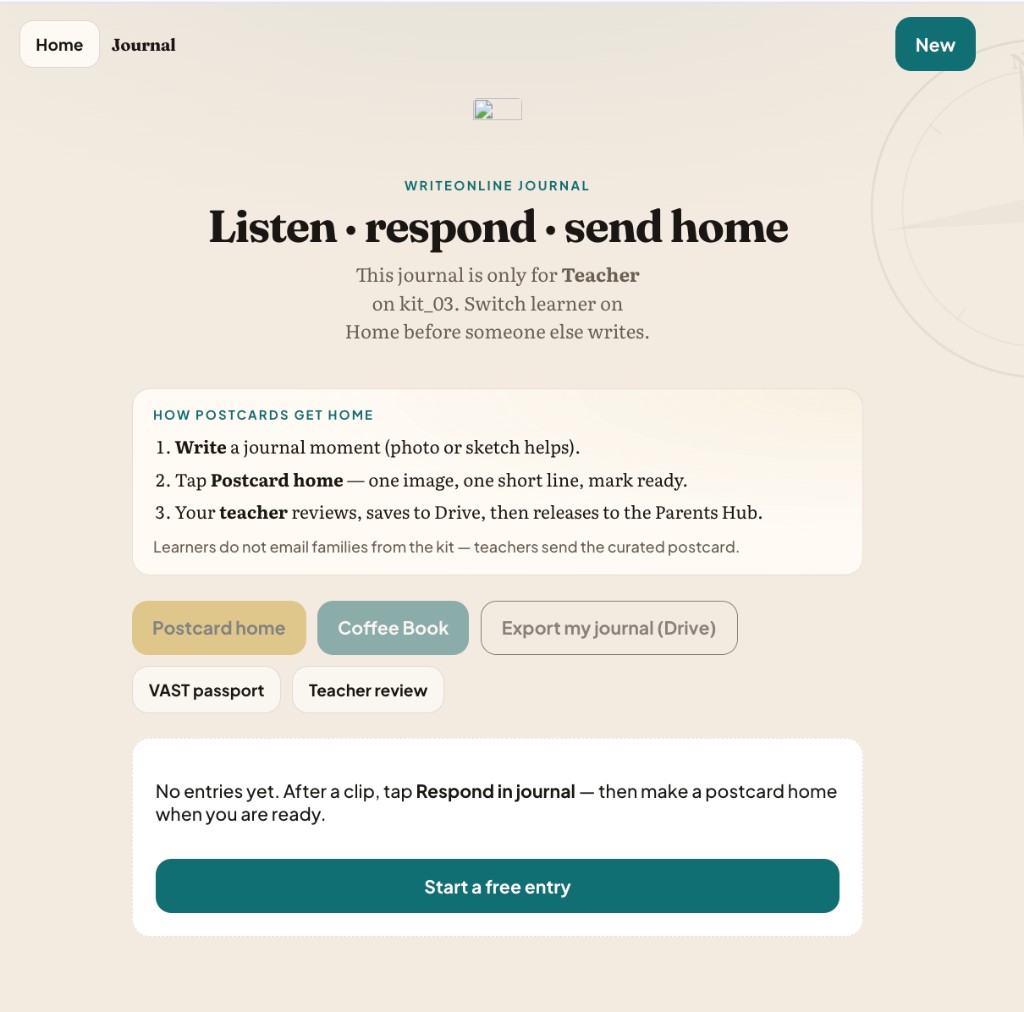
Place ritualAnswer the inquiry / field job with words (or Dictate), optional VAST tag, and media — photo, voice, sketch, video, or files. Work stays on the tablet until a teacher releases it.
RespondFrom My journal: stamp VAST, draft a postcard (one photo + short line), build Coffee Book spreads, or export for teacher review. Teachers release — not learners.
Journal · products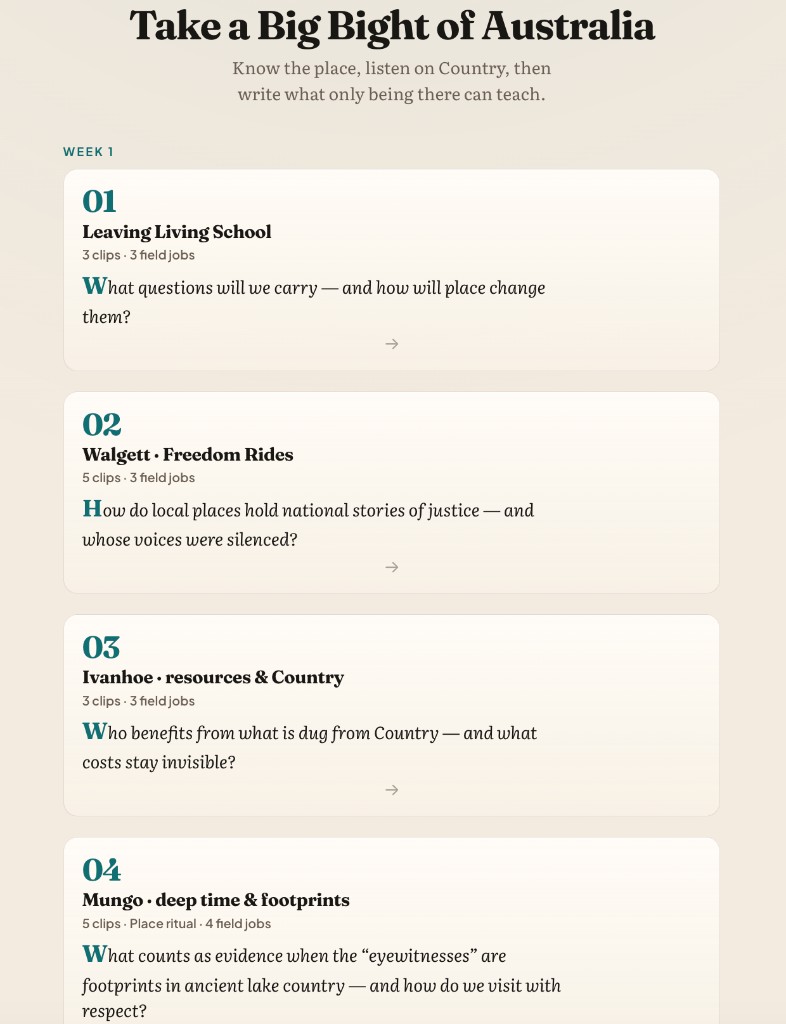
Scope & depth
A stop is not one screen. It is a stack: orientation → teaching core → field evidence → optional enrichment → character stamp → culminating product.
Teaching core
Place brief (why this stop matters) · Names (Country protocols) · History nuggets (verifiable facts). Then Arrive · Notice · Language · Campfire short listens — the expedition voice before enrichment unlocks.
On Country
Short jobs after the core (quote + counter-question, place marker caption, peer interview). Tap Respond in journal — same multimodal capture every time.
Go deeper
Podcasts, videos, and official further reading — after the teaching core. Library hub also holds longer listens / reads / jukebox for coach kilometres (shared on kit, downloaded on Wi‑Fi).
Character
Stamp Values, Attitudes, Skills, Trust moments (short prompts, linkable to a stop or journal entry). Culminating folio unlocks after stamps exist — capacity made visible, not a sticker chart.
Make
Whiteboard / sketch space (tldraw) for diagrams and thinking — Add to journal when the sketch earns a place in the evidence trail.
Culminate
Postcard: one photo, one place, one short line — teacher reviews, saves to Drive, releases to Parents Hub. Coffee Book: curate 12–20 photo spreads, caption in trail voice, print PDF or ZIP for review. Media stays on kit / Files — never uploaded into WordPress.
Evidence on the kit
Every field job and free entry uses the same Respond lane so learners do not relearn the app at each stop.
Privacy line on Respond: Stays on this tablet. Portal only sees that you saved — not your writing or media.
Roles
Learner on kit
Learners do not email families from the kit.
Teacher on kit · Prep · Review
student_ref → Release full journal.Never release “All nicknames” to one student. WordPress stores text + link only — not journal media.
NSW NESA · Stage 5
Every teaching listen and field job in the Big Bight pack carries NESA outcome codes. Journal moments become evidence against History, Geography, Science and English — not a separate workbook bolted on after the trip.
Civil rights corridors, source work, evidence vs myth, and whose voices are remembered.
Place, environment, human–environment processes, and scale from plains to Bight cliffs.
Working scientifically, Earth and space, living world, and physical world through Country evidence.
Understanding texts, expressing ideas, and oral language crafted with dignity on the trail.
Codes follow the Journey pack clip tags (Big Bight pilot). Maths outcomes (e.g. MA5-ARE-C-01, MA5-RAT-C-01) appear on selected enrichment / measure clips where the stop calls for them.
What comes home
The journal’s depth is for learning on the road. What families see is a supervised slice: a postcard line with a Drive artefact, or a full journal folder linked for that child only.
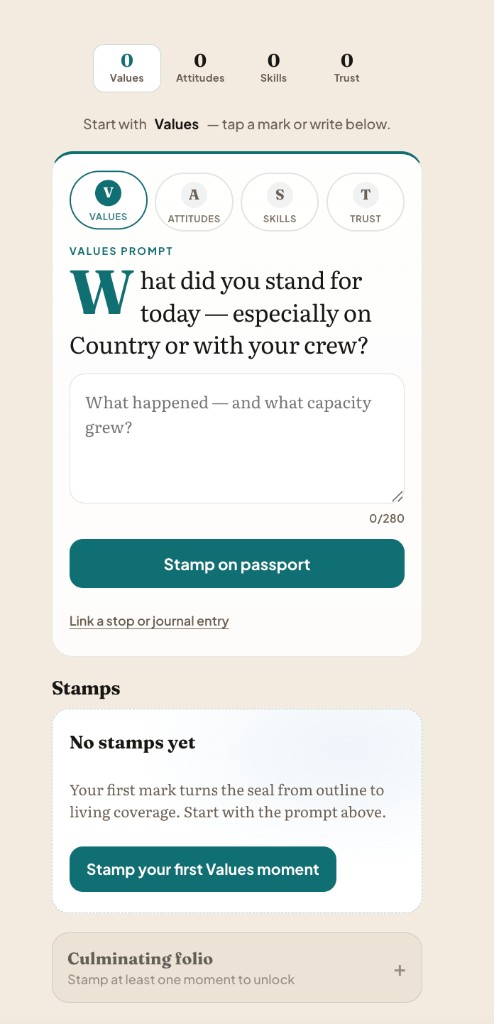
Writeonline keeps raw writing and media on the kit until a teacher exports selected work to Google Drive. The Parents Hub can show that a release happened and the Drive link — coordination text and links only, not the journal media library. NESA-tagged journal evidence is what makes the kilometres academically accountable.